
A monthly habit tracker is the right tool for two specific jobs, and the wrong tool for almost everything else. People reach for one imagining a tidy grid of every habit times thirty days, then spend a week ticking sixty boxes and quietly abandon it. The grid wasn't the problem. Using a month as the unit for daily habits was.
Used well, a monthly view does two things a daily checklist can't: it shows you the shape of a whole month at a glance, and it's the natural home for habits you only do a handful of times a month. Get those two jobs right and the monthly tracker earns its place. Try to make it do daily logging and it becomes clutter you scroll past.
Job one: the monthly review
The most valuable thing a monthly view gives you is perspective. A daily checklist tells you about today; a month tells you about your patterns. Did the gym habit fall apart in the third week every single month? Did reading hold steady while meditation slid? You can't see that one day at a time, but a month-at-a-glance makes it obvious.
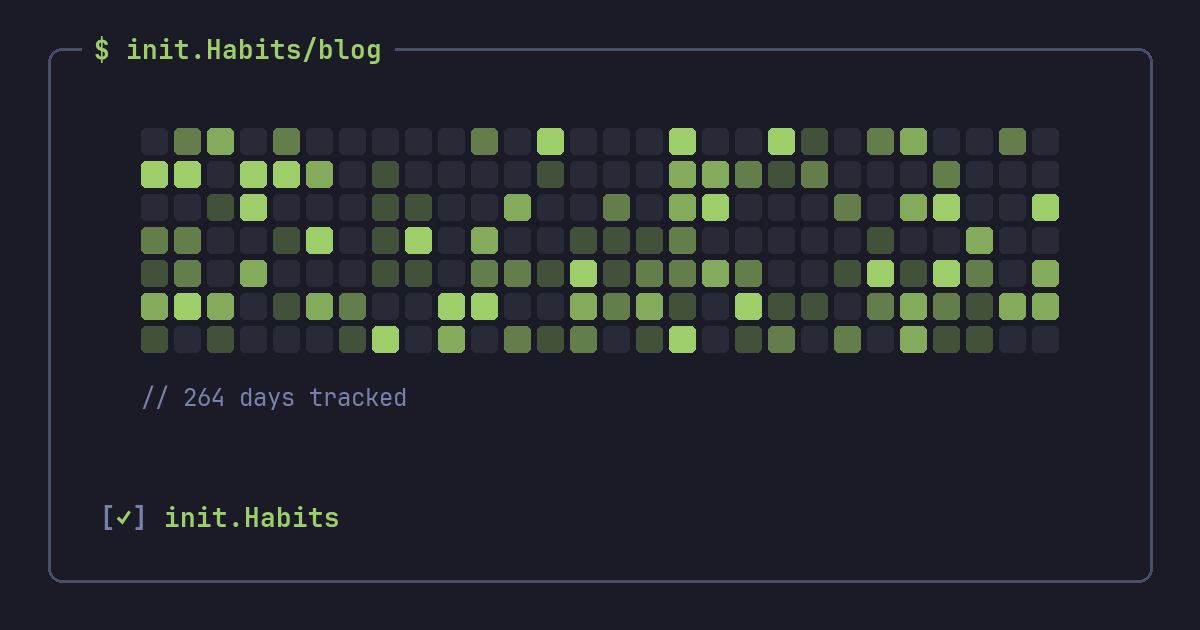
This is where a GitHub-style heatmap beats a wall of checkboxes. A month of completions rendered as colored cells shows density and gaps instantly, no counting required. You glance at it on the first of the month, notice where things wobbled, and adjust one thing. For the deeper read behind that glance — completion rates, the weekday that keeps failing — a habit tracker with statistics turns the pattern into specifics. That monthly glance-and-adjust loop is worth more than any individual day's tick.
Job two: habits that aren't daily
Plenty of good habits were never meant to be daily, and forcing them onto a daily tracker just manufactures failure. Deep-clean the apartment, call your parents, review your budget, back up your files, batch-cook — these live on a monthly rhythm. On a daily checklist they show up as twenty-nine red Xs and one green tick, which reads as failure even though you did exactly what you intended.
A monthly habit tracker frames them honestly: the target is "once this month" or "three times this month," and the tracker measures against that, not against an imaginary daily standard. The same logic that makes weekly goals work for gym sessions applies here for the monthly stuff — match the schedule to reality and the tracker stops lying to you.
Don't track daily habits monthly
Here's the line that keeps the tool useful: daily habits belong on a daily view, monthly habits belong on a monthly one, and mixing them is what creates the clutter people hate. Your water intake, your daily walk, your evening wind-down — those need the immediate, today-focused loop of a daily checklist, ideally a home-screen widget you tap once. The monthly tracker is for the zoomed-out review of those, plus the home for the genuinely monthly tasks. Keep the two jobs separate and neither feels like noise.
The monthly reset trap
One warning, because it's the most common way monthly tracking backfires. Treating the 1st as a hard reset — "new month, fresh start, clean slate" — quietly trains you to write off the rest of the current month the moment it goes sideways. A bad week on the 20th becomes "I'll restart in a few days," and the gap grows. Habits don't actually care about calendar boundaries — habit formation runs on consistent repetition over months, not on the calendar — and a streak that crosses from one month into the next is worth more than a tidy thirty-day block you keep restarting. If a month gets away from you, the move is getting back on track now, not waiting for the 1st. Use the month for review, not as a reason to procrastinate the recovery.
A simple monthly setup
If you want a tracker that uses the month well without clutter, set it up like this:
- Keep your three to five daily habits on the daily view, and just review them monthly.
- Put non-daily tasks (deep clean, budget, calls home) on a monthly schedule with an honest target like "twice this month."
- On the 1st, spend two minutes looking at last month's heatmap and pick one thing to change.
- Let streaks run across month boundaries instead of resetting — the calendar is for review, not a finish line.
That's the whole system. The month is a lens for seeing patterns and a home for occasional tasks, not a thirty-row spreadsheet you have to feed every day.
FAQ
What is a monthly habit tracker?
It's a way of viewing and tracking habits across a full month rather than a single day. It's best used for two things: reviewing the overall pattern of your daily habits, and tracking habits that happen only a few times a month, like a deep clean or a budget review, against an honest monthly target.
Should I track daily habits on a monthly tracker?
Log them daily and only review them monthly. Daily habits need an immediate, today-focused checklist or widget to actually get done; a monthly grid of every daily habit becomes clutter fast. Use the month view for the zoomed-out picture, not for the day-to-day logging.
How do I track habits I only do a few times a month?
Set an honest target — "once this month" or "three times this month" — and track against that instead of a daily standard. In init.Habits you can schedule a habit on specific days of the month so it only appears when it's due and never registers as a missed day in between.
How often should I review my monthly habit tracker?
A two-minute look on the first of each month is plenty. Glance at the previous month's heatmap, notice where habits wobbled or held, and change just one thing for the month ahead. The point is a small, regular adjustment, not a deep audit.