
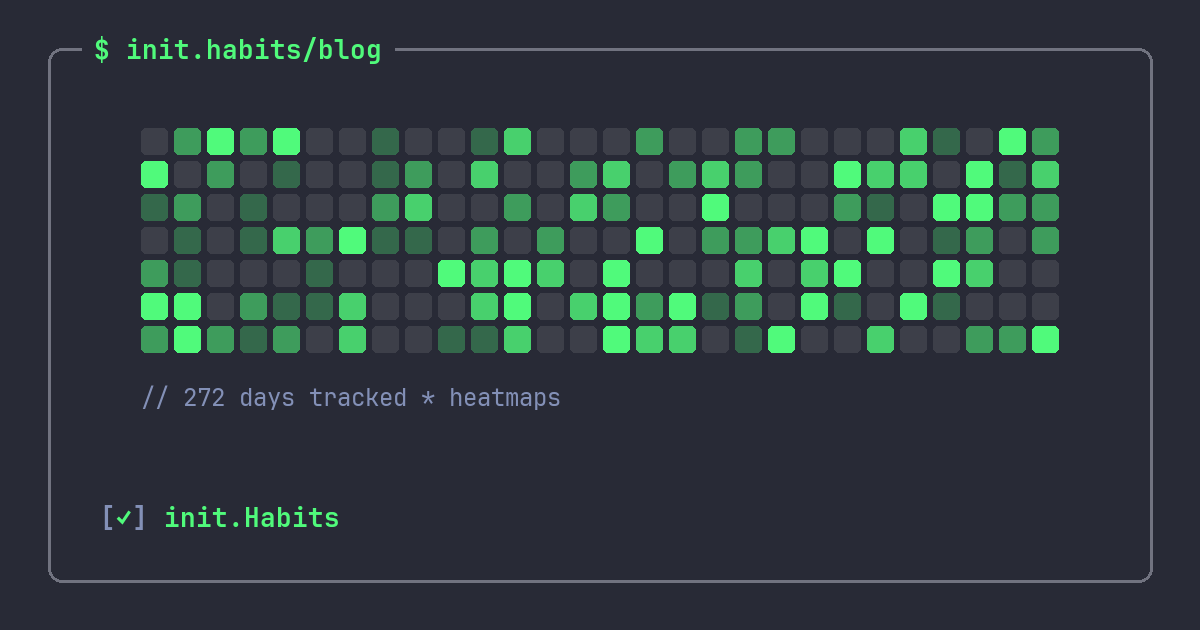
There's a reason so many developers end up wanting a GitHub-style habit tracker: the contribution graph might be the best behavior-tracking interface ever shipped, and it wasn't even designed for habits. It was designed to show commits. But the format solved a set of problems that every habit app struggles with, mostly by accident.
If you've ever caught yourself committing something small just to keep the green squares going, you already know the effect firsthand. The question is how to point it at things that matter more than your commit count. If the grid itself is the unfamiliar part, it's worth backing up one step first: what a habit heatmap actually is and how to read one covers the plain-language version, for anyone, before this piece gets developer-specific.
What the graph gets right
A contribution graph is just a grid: one cell per day, color intensity for volume. Simple enough to explain in a sentence. The power is in what that layout does to your perception of your own behavior.
It shows trend, not status. A streak counter answers one question: how am I doing today? The graph answers a better one: how have I been doing lately? Three strong weeks followed by a rough one still looks like three strong weeks. The counter would have shown you a zero.
It makes a single miss look like what it is. On a counter, one missed day is a catastrophe that resets everything to zero. On a heatmap, it's one pale cell surrounded by green. That visual proportionality matters more than it sounds, because the panic spiral after a broken streak is what actually kills habits. We wrote up the psychology of that in why streaks keep breaking.
It rewards recovery. Fall off for a week and the counter punishes you with a humiliating restart from 1. The graph just shows a pale patch, and every green day you add afterwards visibly shrinks its importance. The format is biased toward getting back on, which is the single most useful bias a tracker can have.
It compresses a year into a glance. No charts to interpret, no stats page to dig through. Fifty-two columns, and you know instantly whether March was real or imaginary.
This idea is older than GitHub
Long before contribution graphs, Jerry Seinfeld was marking a red X on a wall calendar for every day he wrote jokes, with one instruction: don't break the chain. The wall calendar and the contribution graph are the same tool. One cell per day, filled or not, arranged so your eyes can sweep months at a time.
GitHub's version added intensity levels, which turns out to be the missing piece for habits. A binary X can't tell "did the minimum" from "had a great day." Color depth can. Drank five glasses of water instead of eight? That's a lighter cell, not an empty one, and lighter cells keep chains feeling alive in a way that gaps never do.
Setting one up for habits
You could keep a literal wall calendar, and honestly, for a single habit it works. The limits show up fast though: no per-habit view, no intensity, nothing on your phone at 11pm, and a business trip breaks the whole ritual.
A few things to look for in an app that does it properly:
- A real yearly graph per habit, not just a monthly calendar with dots. The long view is the entire point.
- Intensity from actual data. If you track "read 20 pages" as a numeric goal, 12 pages should render as a lighter cell. That requires the tracker to support counters, numbers, and timers, not just checkboxes. It's the whole basis of tracking a reading habit, where a lighter cell for a short night still keeps the chain honest.
- The graph on your home screen. A widget that shows the grid means you see your trend twenty times a day without opening anything. Mild, persistent, surprisingly effective peer pressure from your past self.
- An overall view and a per-habit view. Some days you want the aggregate picture, some days you want to know specifically how the gym habit is holding up.
Want to see the format in action before committing to an app? You can build a GitHub-style habit heatmap right in your browser — free, no signup: add your own habits, fill in the days, and export the grid as an image.
One warning from the commit-graph era
Developers also learned the failure mode of this format: gaming it. Empty commits to stay green, README tweaks on December 31st. The habit equivalent is logging things you didn't do, and the graph makes that temptation real because gaps are so visible.
Two defenses. First, shrink the habit until the honest version is doable on bad days, so you rarely face the choice. Second, remember who the graph is for. Nobody else sees it. A faked green cell is a lie told to an audience of one, and that audience always knows.
FAQ
What is a GitHub-style habit tracker?
It's a habit tracker that displays your history as a contribution graph: a grid of one cell per day, colored by how much you completed, exactly like GitHub renders commits. The format makes trends, gaps, and recoveries visible at a glance.
Why are heatmaps better than streak counters for habits?
They're complementary, but heatmaps fail more gracefully. A counter resets to zero after one miss, which is demoralizing out of proportion to the actual lapse. A heatmap shows the miss as one pale cell in context. Counters are great for motivation while things go well; the graph is what keeps you sane when they don't.
Can I get a habit heatmap on my phone's home screen?
Yes. init.Habits ships a heatmap widget for the iPhone home screen, alongside an interactive checklist widget, so both the trend and the day's checkboxes are visible without opening the app.
Does the heatmap show partial completions?
In init.Habits, yes. Cell intensity reflects your completion rate for the day, so a partial day renders as a lighter shade instead of an empty square. Checkbox-only trackers can't do this, which is one reason tracking modes matter.