The App Store has hundreds of habit trackers, which makes choosing a habit tracker for iPhone weirdly hard — they all look fine in a screenshot, and you can't tell which one you'll still be opening in March. The good news is that iPhone gives a habit tracker some specific superpowers, and knowing which ones actually matter cuts the list down fast. Get those right and the rest is taste.
This is a practical guide to what to look for, which iOS-specific features are worth paying for, and how the main contenders differ — written to help you pick, not to push one app. If you're completely new to this, the habit tracker for beginners guide covers how to start before you even choose an app. And if the tracker is just one slot in a bigger phone cleanup, self improvement apps covers assembling the whole stack.
The features that actually matter
Strip away the marketing and a habit tracker lives or dies on a few things:
- One-tap logging. If marking a habit done takes more than a second, you'll skip it on the busy days, and skipped logging is how the data rots. This is the whole game.
- A view that shows consistency at a glance. A GitHub-style heatmap or grid tells you in one look whether a habit is holding. A list of checkboxes doesn't.
- Tracking modes that fit real habits. A checkbox can't measure two liters of water or 25 minutes of focus. Look for counters, numeric goals, and timers.
- Mercy for bad days. A tracker that resets your streak to zero on one missed day gets abandoned the first hard week. Earned streak protection is what keeps a system alive through real life.
Nail those four and you've got a tracker that survives. Everything else is refinement.
The iPhone-specific features worth paying for
This is where the platform earns its keep, and where an iPhone tracker can beat a generic cross-platform one:
- Widgets and the Lock Screen. A checklist on your home screen or a tap from the Lock Screen means you log without even opening the app — the home-screen widget is the single biggest friction-killer on iOS.
- Apple Health sync. Steps, sleep, exercise, and mindful minutes are already measured by your iPhone and Watch. A tracker that reads Apple Health lets those habits log themselves with zero taps.
- iCloud sync. Your data following you across iPhone, iPad, and Mac without a separate account is a quiet convenience that matters more the longer you use the app.
These are the features I'd actually pay for, because they remove effort permanently rather than adding a one-time novelty.
How the main iPhone options differ
A few apps come up again and again, and they're built for genuinely different people:
- Streaks is the polished, Apple-native pick — a one-time purchase, deep Apple Watch support, and a clean, simple design. If you want the most native-feeling option and an Apple Watch app, it's a strong choice; here's how Streaks and init.Habits compare.
- HabitKit is the colorful, grid-based, cross-platform option. It runs on iPhone and Android and lets you share habits with friends, which matters if you live across both platforms. If you’re choosing between it and init.Habits specifically, here’s the honest comparison.
- Grit is the friendly, colourful Apple-ecosystem option — iPhone, iPad, Mac and a full Apple Watch app, with Apple Health sync and habit groups. If you want a bright, native tracker on every Apple device, it's a strong pick; here's how it compares to init.Habits.
- Finch isn't really a habit tracker — it's a gentle self-care companion with a pet, mood check-ins and journaling. If you want emotional support more than a consistency grid, it's lovely, and here's the honest comparison.
- Habitica turns habits into a role-playing game, free and cross-platform, with a party system for accountability. If the game and the group are what motivate you, nothing else is like it; here's how it stacks up.
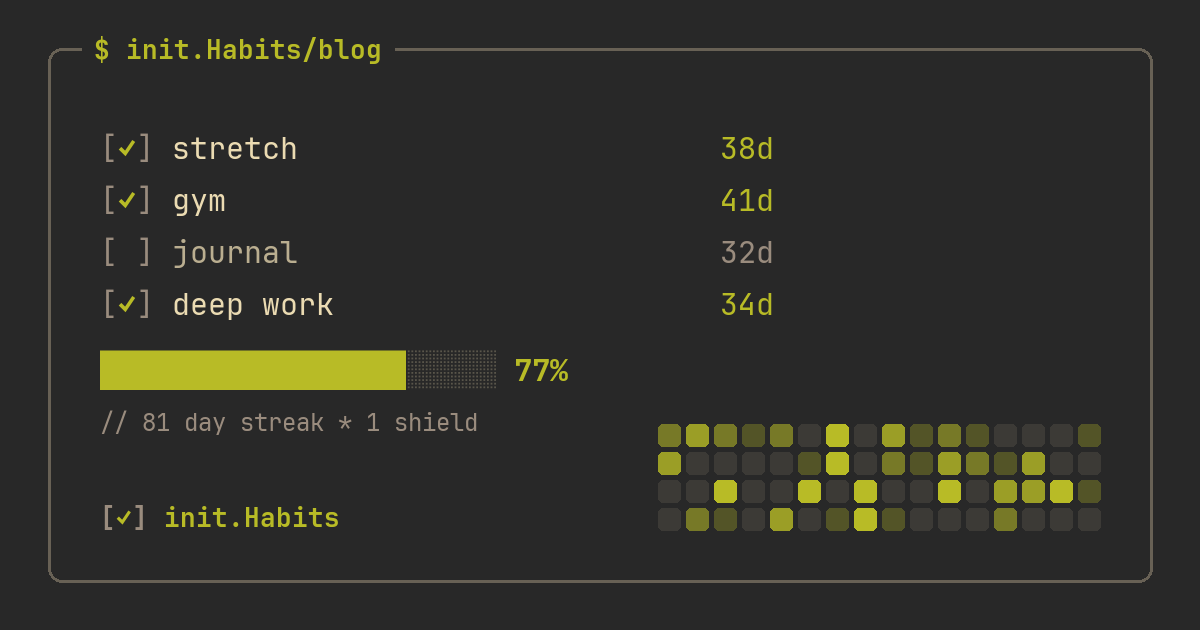
- init.Habits is the terminal-style pick: a monospace, developer-flavoured aesthetic with 23 editor themes, a GitHub-style heatmap, earned streak freezes, a built-in pomodoro, and Apple Health sync. It runs on iPhone and in any browser.
There's no universal winner — it depends on whether you value Apple Watch, cross-platform reach, or a specific aesthetic. If cross-platform sync is the deciding factor, Habitify is the freemium option to weigh; if you're leaving an app that's stopped updating, HabitBull is worth a look too.
Free vs paid: when to pay
Most good iPhone trackers are freemium, and a sensible rule is to pay only after a free week proves you'll actually log things. The free tier should be enough to test the habit of using it — a few habits, the core view, basic logging. Paying typically buys depth: per-habit analytics, more tracking modes, timers, Apple Health sync, more themes, higher habit limits. If an app's free tier is so thin you can't even run a real week on it, that's a signal in itself. Spend the money once the tool has earned it, not before.
The one-week test
Forget the feature lists for a moment. Install your top candidate, track one real habit for seven days, and watch for a single signal: did you ever do the habit and not bother logging it? If yes, that app added friction instead of removing it, and no feature list makes up for that. The right iPhone tracker disappears into your day — you tap it without thinking, the same way you check the weather — and the habits just accumulate. If you have to remember to use the tracker, it's the wrong one. For the days a habit genuinely slips, a tracker with earned streak protection is what keeps a single miss from ending the whole thing.
FAQ
What's the best habit tracker for iPhone?
It depends on what you value. Streaks is the most Apple-native pick with strong Apple Watch support; HabitKit is the colorful, cross-platform grid option; init.Habits is the terminal-style choice with editor themes, a heatmap, earned streak freezes, and Apple Health sync. Test one for a week with a real habit before committing.
Should an iPhone habit tracker use Apple Health?
If you want certain habits to track themselves, yes. Steps, sleep, exercise, and mindful minutes are already measured by your iPhone and Apple Watch, so a tracker that reads Apple Health logs those with zero taps. init.Habits offers this as a Pro feature, syncing steps, sleep, and exercise automatically.
Are paid iPhone habit trackers worth it?
Often, but only after a free week proves you'll use the app. Paying usually buys depth — analytics, timers, Apple Health sync, more themes, higher limits — rather than the basics. A reasonable approach is to run a real week on the free tier first, then upgrade if the tool has earned a place in your day.
Do I need widgets on a habit tracker?
They're one of the most useful iOS features for a tracker, because a home-screen or Lock Screen widget lets you log a habit in a second without opening the app. Since one-tap logging is what keeps habit data from rotting, a good widget is close to essential rather than a nice-to-have.